 EveryCutFile
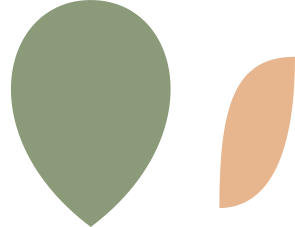
Botanical decal: rounded leaf
78 × 60 mm (3⅛ × 2⅜ in)
SVG · PNG · DXF · PDF · No account
Broad rounded solid leaf. Separate 20 × 40 mm optional inset; align at the base center.
21 designs
Botanical decals and initial frames for arranging separate paper or vinyl pieces in Silhouette Studio.
Free · No account · You can sell what you make
This selection keeps flat botanical silhouettes and open monogram frames. Separate leaves and initials stay in their own positions for editing and transfer.
Opening SVG in desktop Studio requires Designer Edition or above. For Basic Edition, the DXF converter offers a plain-outline route.
Choosing a Silhouette? Compare Portrait 4, CAMEO 5 Alpha, Alpha Plus, Pro MK-II and Curio 2 →
Cricut or Silhouette? What each needs to open your SVG files →
78 × 60 mm (3⅛ × 2⅜ in)
SVG · PNG · DXF · PDF · No account
Broad rounded solid leaf. Separate 20 × 40 mm optional inset; align at the base center.
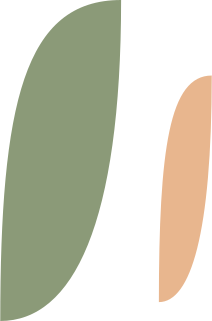
56 × 85 mm (2¼ × 3⅜ in)
SVG · PNG · DXF · PDF · No account
Long tapered solid leaf. Separate 14 × 60 mm optional inset; align inside the leaf.

44 × 68 mm (1¾ × 2⅝ in)
SVG · PNG · DXF · PDF · No account
Three-leaf sprig, 48 × 78 mm. A sprig in one connected piece. Weld the overlapping parts into one shape before cutting.

51 × 85 mm (2 × 3⅜ in)
SVG · PNG · DXF · PDF · No account
Five-leaf sprig, 55 × 95 mm. A sprig in one connected piece. Weld the overlapping parts into one shape before cutting.

61 × 100 mm (2⅜ × 3⅞ in)
SVG · PNG · DXF · PDF · No account
Fern-like frond, 65 × 110 mm. A sprig in one connected piece. Weld the overlapping parts into one shape before cutting.
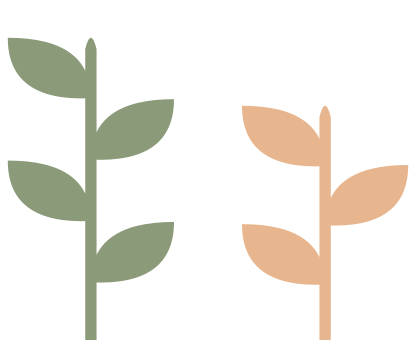
110 × 90 mm (4⅜ × 3½ in)
SVG · PNG · DXF · PDF · No account
Two separate connected sprigs, 48 × 90 mm and 48 × 72 mm, for a paired composition.

90 × 90 mm (3½ × 3½ in)
SVG · PNG · DXF · PDF · No account
A circle frame, 90 × 90 mm, with an open center for your initials. The enclosed center is removed; lettering is not included.
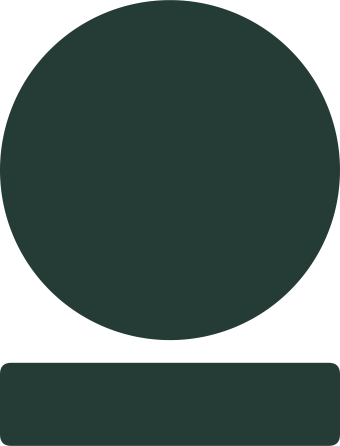
90 × 90 mm (3½ × 3½ in)
SVG · PNG · DXF · PDF · No account
A circle base, 90 × 90 mm, with a separate name plate. Place the name plate across the base in your editor; the pieces arrive separated.

110 × 80 mm (4⅜ × 3⅛ in)
SVG · PNG · DXF · PDF · No account
An oval frame, 110 × 80 mm, with an open center for your initials. The enclosed center is removed; lettering is not included.

110 × 80 mm (4⅜ × 3⅛ in)
SVG · PNG · DXF · PDF · No account
An oval base, 110 × 80 mm, with a separate name plate. Place the name plate across the base in your editor; the pieces arrive separated.
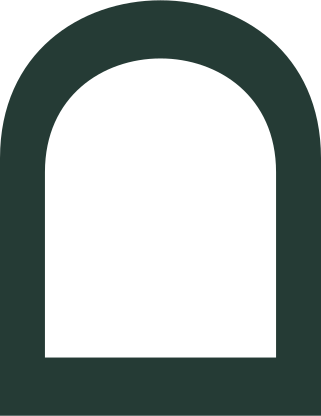
85 × 110 mm (3⅜ × 4⅜ in)
SVG · PNG · DXF · PDF · No account
An arch frame, 85 × 110 mm, with an open center for your initials. The enclosed center is removed; lettering is not included.

85 × 105 mm (3⅜ × 4⅛ in)
SVG · PNG · DXF · PDF · No account
A shield frame, 85 × 105 mm, with an open center for your initials. The enclosed center is removed; lettering is not included.

85 × 105 mm (3⅜ × 4⅛ in)
SVG · PNG · DXF · PDF · No account
A shield base, 85 × 105 mm, with a separate name plate. Place the name plate across the base in your editor; the pieces arrive separated.

100 × 100 mm (3⅞ × 3⅞ in)
SVG · PNG · DXF · PDF · No account
A scallop frame, 100 × 100 mm, with an open center for your initials. The enclosed center is removed; lettering is not included.

100 × 100 mm (3⅞ × 3⅞ in)
SVG · PNG · DXF · PDF · No account
A scallop base, 100 × 100 mm, with a separate name plate. Place the name plate across the base in your editor; the pieces arrive separated.

91 × 95 mm (3⅝ × 3¾ in)
SVG · PNG · DXF · PDF · No account
A hexagon frame, 91 × 95 mm, with an open center for your initials. The enclosed center is removed; lettering is not included.

105 × 95 mm (4⅛ × 3¾ in)
SVG · PNG · DXF · PDF · No account
A hexagon base, 105 × 95 mm, with a separate name plate. Place the name plate across the base in your editor; the pieces arrive separated.

85 × 110 mm (3⅜ × 4⅜ in)
SVG · PNG · DXF · PDF · No account
A diamond frame, 85 × 110 mm, with an open center for your initials. The enclosed center is removed; lettering is not included.

85 × 110 mm (3⅜ × 4⅜ in)
SVG · PNG · DXF · PDF · No account
A diamond base, 85 × 110 mm, with a separate name plate. Place the name plate across the base in your editor; the pieces arrive separated.

110 × 75 mm (4⅜ × 3 in)
SVG · PNG · DXF · PDF · No account
A bracket frame, 110 × 75 mm, with an open center for your initials. The enclosed center is removed; lettering is not included.

110 × 75 mm (4⅜ × 3 in)
SVG · PNG · DXF · PDF · No account
A bracket base, 110 × 75 mm, with a separate name plate. Place the name plate across the base in your editor; the pieces arrive separated.
Browse the whole library with more filters, these 21 first →
Match adhesive vinyl, paper or cardstock to your cutter and blade. Thin leaf tips and narrow frame borders need a trial cut in the actual material before a larger batch.
Select your machine and media in Studio, then compare the complete canvas with the usable cutting area. A named mat size is not a universal limit across Portrait, Cameo and other models.
For a Print & Cut project, add the printed artwork and registration marks in Silhouette Studio’s Print & Cut steps. These plain SVG files contain no printer registration marks.
From the maker’s documentation: Silhouette Studio editions, Silhouette: tool and mat compatibility, Silhouette: Print and Cut registration.